Skip to content
Investryx
Product · LP reporting

Quarterly reporting that LPs actually open.

Build the report from the fund data you already keep in Investryx, publish it to a portal your investors trust, and see who opened what. No PDF juggling, no mail merge, no guessing.

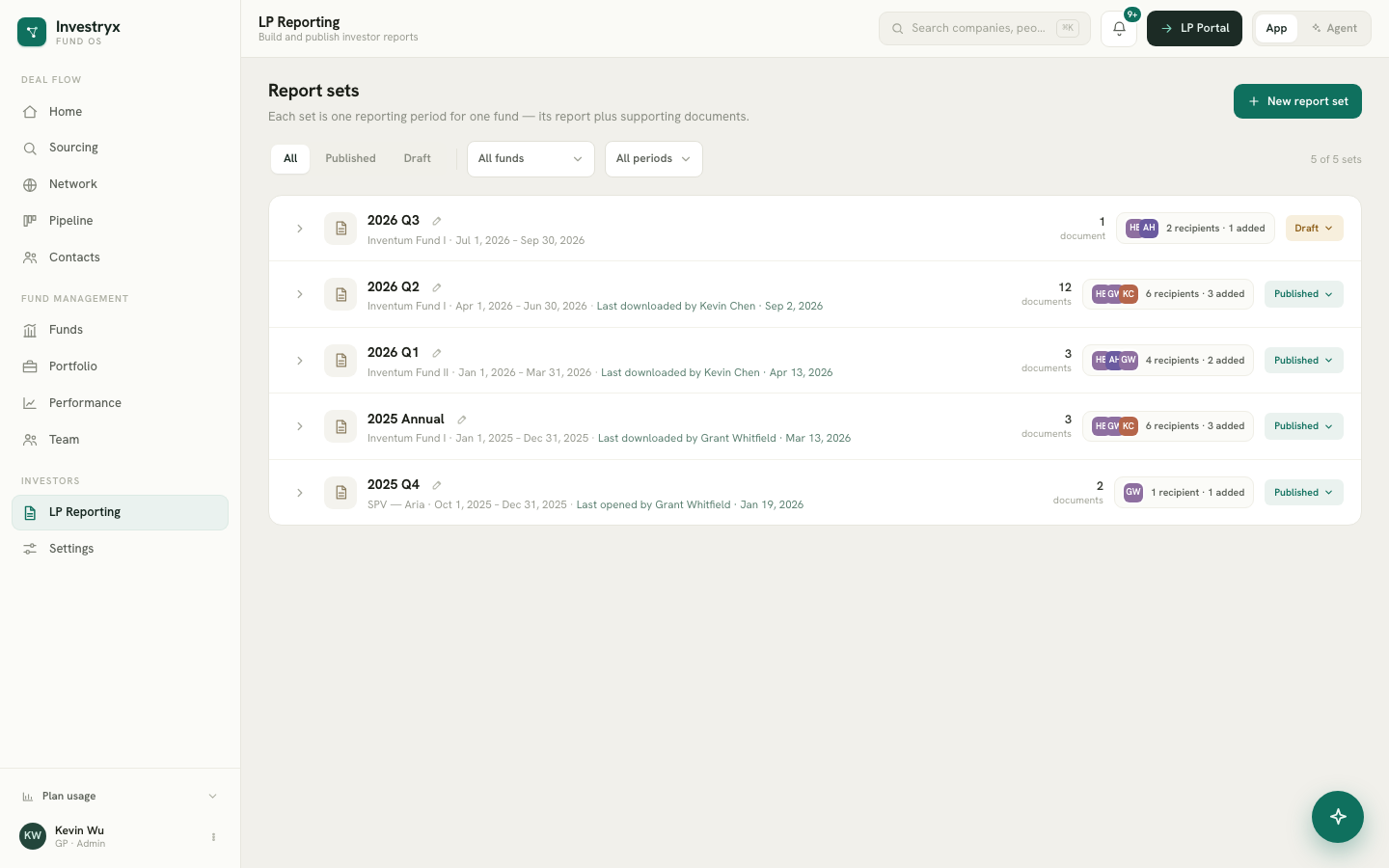
LP Reporting screen with report sets per fund, recipient counts and publish status
Demo workspace. Companies, funds and people are fictional.
What your LP sees on a phone; every open lands in your access log. Demo workspace. Companies, funds and people are fictional.

Report sets, one folder per fund per period

A report set is a folder of documents for one fund and one period: the built quarterly report, capital statements, audited financials, whatever you send. Sets move between Draft and Published from a dropdown on the row, and reverting to Draft warns you that LPs lose access.
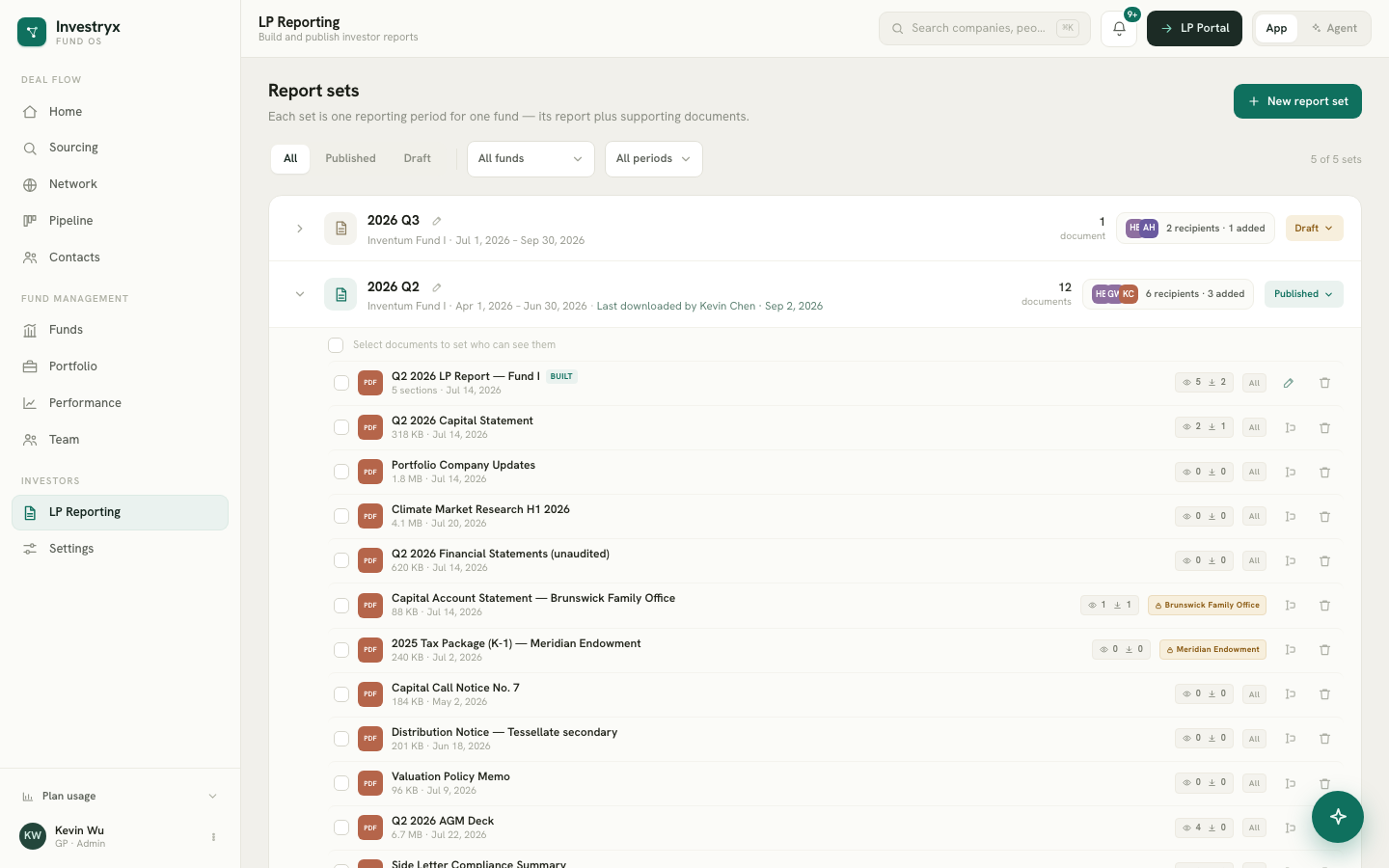
An expanded report set showing its documents, recipient avatars and per-document view and download counts
Demo workspace. Companies, funds and people are fictional.

Recipients are LP-first

Recipients are derived, not maintained. A set goes to every contact of every LP in that fund, plus anyone you add, minus anyone you remove. Manage an LP’s contacts once on the Funds screen and every future report follows.

Recipients dialog listing LPs with contact counts and individually added recipients
Demo workspace. Companies, funds and people are fictional.

Audience per document

Most documents go to everyone. A side letter or a single LP’s statement is restricted to that LP or to named contacts inside it. Restricted documents carry an amber audience chip, and both the portal and the access log respect the restriction.

A publish review, not a publish button

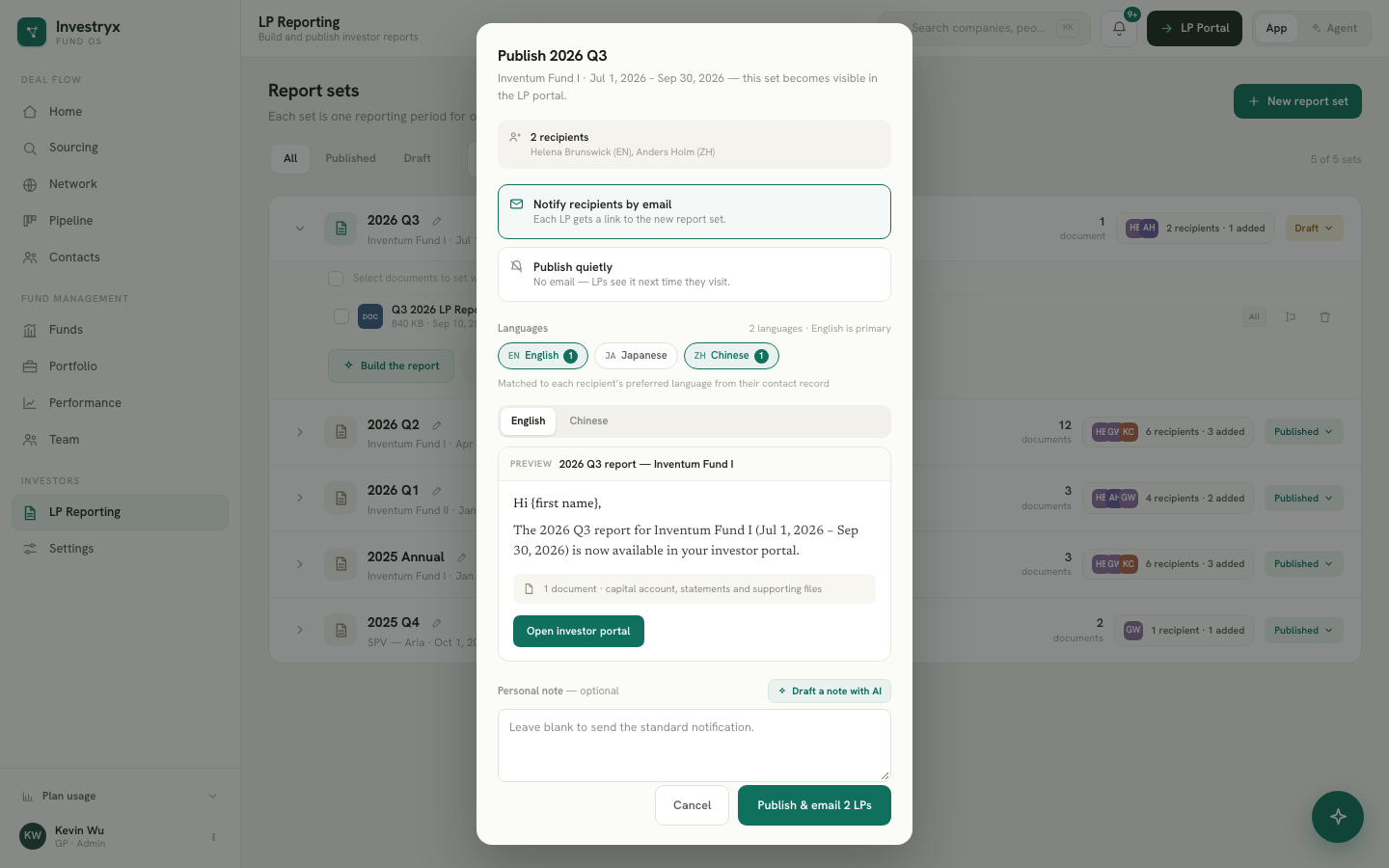
Publishing is LP-facing, so it always opens a review: the recipient list, and an optional notification email drafted from the set’s contents. The email is generated in English, Japanese and Chinese for the languages present among your recipients, and you edit each version before it goes out.

Publish review with the recipient list and per-language notification email tabs
Demo workspace. Companies, funds and people are fictional.

Know who opened what

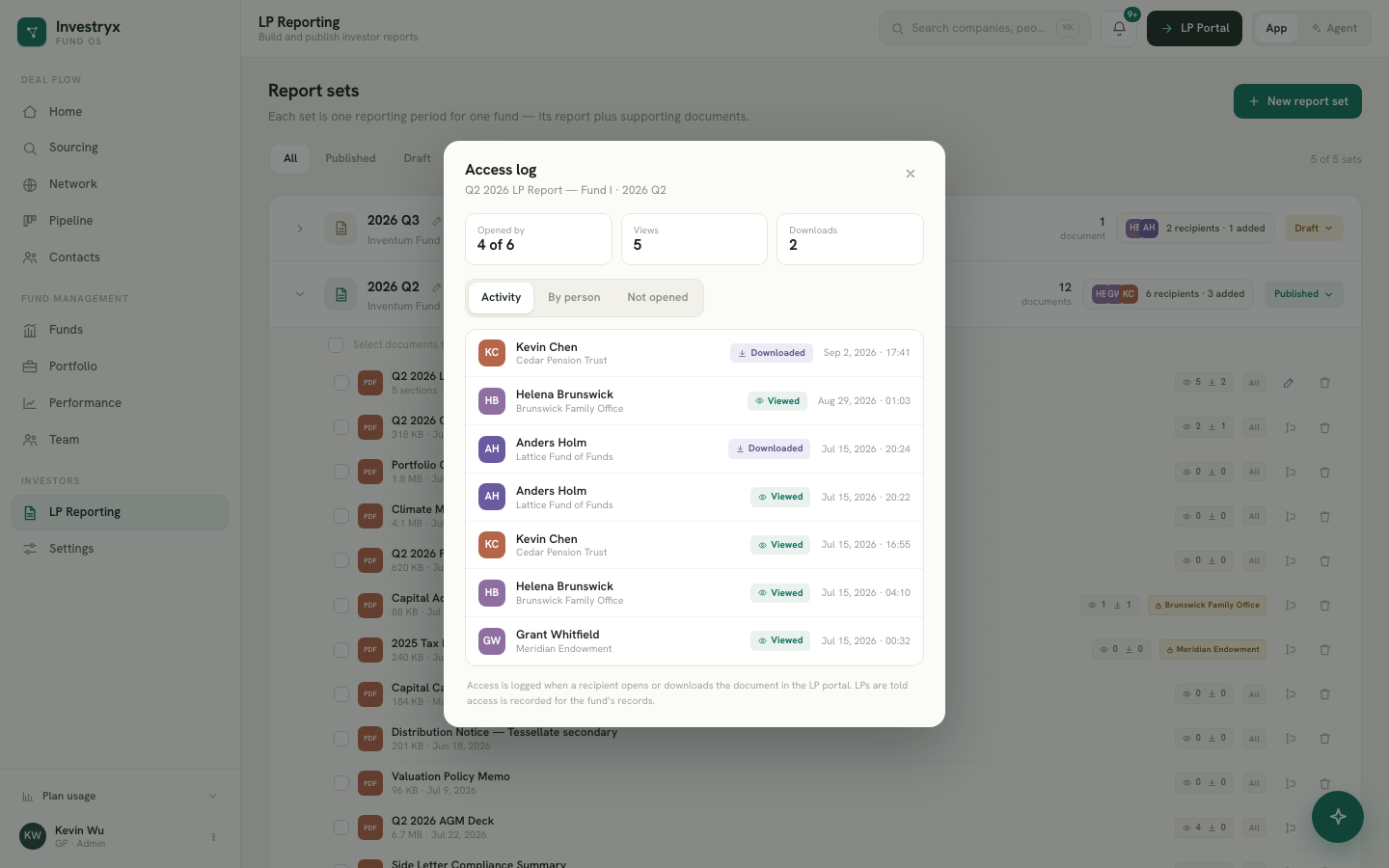
The portal records views and downloads per contact. Each document shows its counts on the set row; the access log lists every event with the contact, their LP and the time, and a “not yet opened” tab of eligible recipients with nothing recorded. First downloads land in your activity feed.

Access log popup with opened-of-eligible stats, an event list and a not-yet-opened tab
Demo workspace. Companies, funds and people are fictional.

Reminders with a 48-hour guard

Nudge one contact or everyone who has not opened a document. The reminder reuses the notification email in each contact’s language, records the date per contact, and refuses to nudge the same person twice inside 48 hours, so nobody gets nagged.

The other half is the investor portal.

A separate, lighter, serif surface where LPs sign in with a one-time email link, read reports and statements, and download watermarked PDFs. No accounts, no passwords, nothing for you to administer.

See the LP portal →

LP reporting questions

Do I have to use the built report?

No. Upload the PDF your fund administrator or auditor produces and publish it as a document. The built report is there when you want a quarterly letter, performance and capital account generated from your own data.

What happens when I revert a published set to Draft?

LPs lose portal access to that set immediately. The set keeps its access counts, so you never lose the history of who opened it.

Can an LP forward the link to someone else?

The sign-in link is single-use and bound to the contact’s address, and downloads are watermarked with the downloader’s email and date. Forwarding a file identifies the source.

Which languages does the notification email support?

English, Japanese and Simplified Chinese, chosen per contact. Each recipient receives the version for their language; you review every version before sending.

Run your fund from one calm place.

Fourteen days free. Card required, charged only when the trial ends. Cancel anytime.