For your investors
A guide you can forward to an LP: how the sign-in link works, what the portal shows, and how access is recorded.
This page is written for the investor. If you are a fund manager, forward it to your LPs when you publish your first report set.
Your fund manager uses Investryx to share reports and capital account statements with you. The investor portal is read-only, works on a phone, and needs no password.
Signing in
- Open the portal link your fund manager sent you.
- Enter the email address your fund manager has on file for you and click Email me a sign-in link.
- Open the email and click the link. You are signed in.
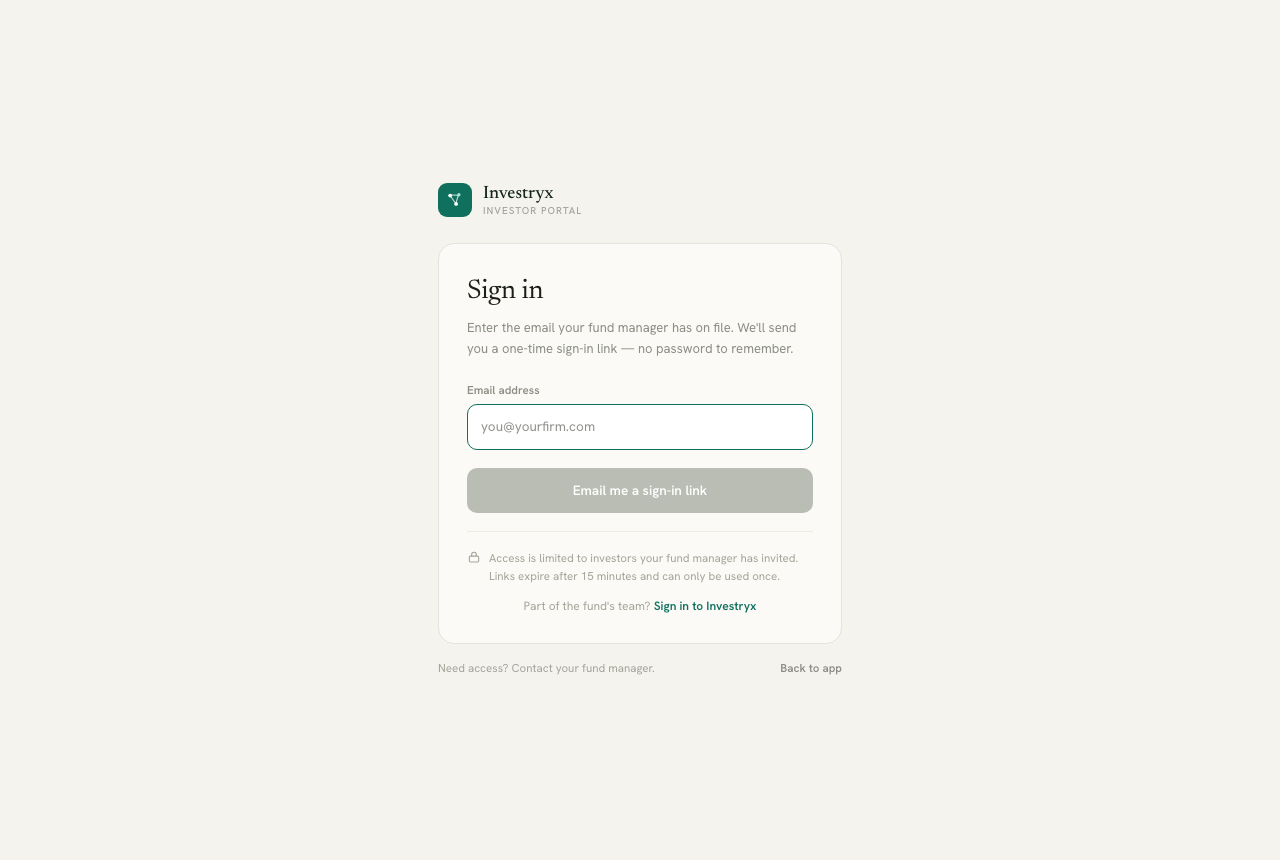
The link is single-use and expires after 15 minutes. If it has expired, request a new one. If the portal says it does not recognise your email, ask your fund manager to add that address to your contact record; access is limited to investors the manager has invited.
What you see
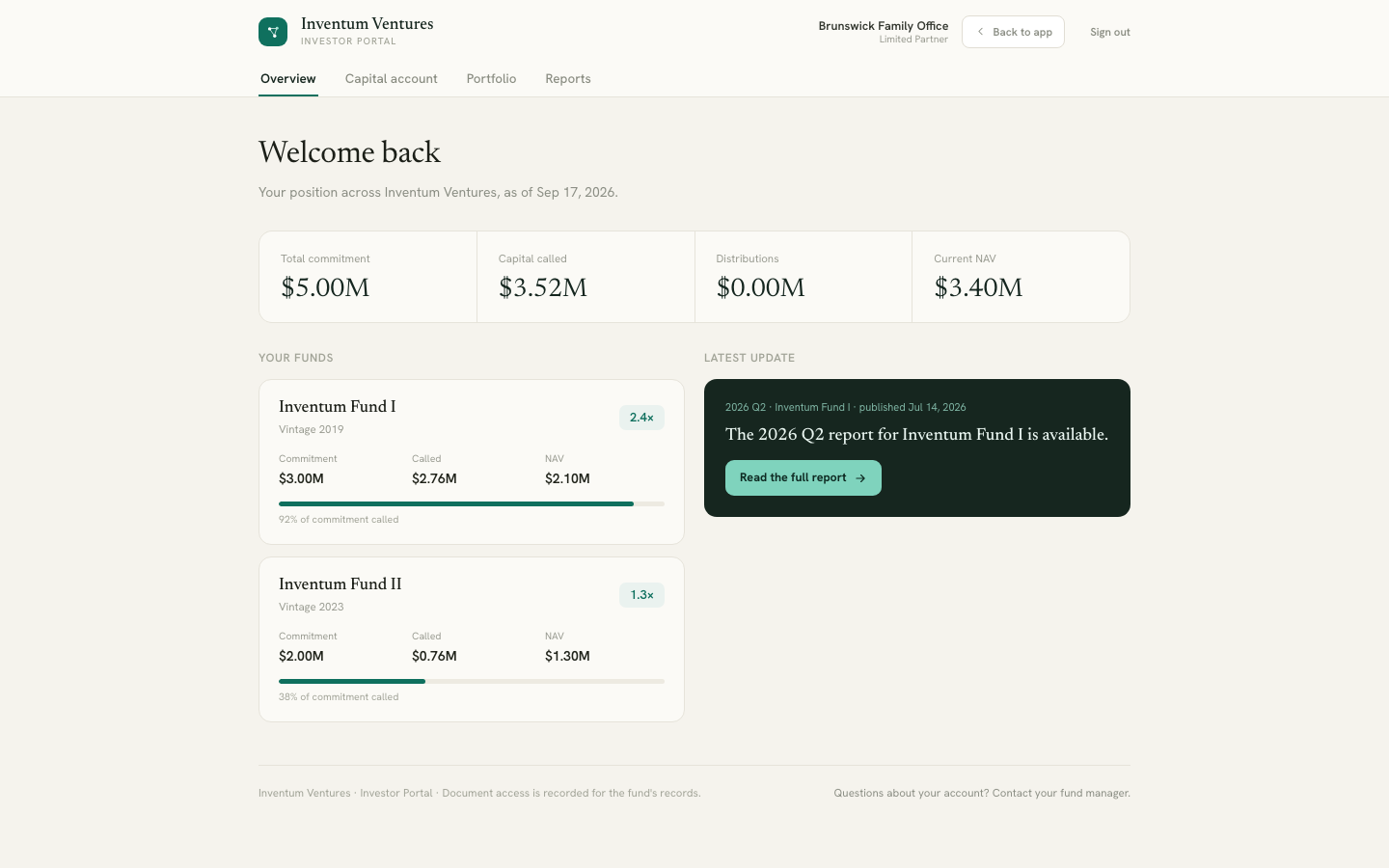
Overview — your position across the firm: total commitment, capital called, distributions and current NAV, followed by a card per fund you are invested in and the latest published update.
Capital account — a statement per fund with commitment, called, distributed and NAV, plus a total line, and your Capital call history: each call with its fund, due date, your amount and whether the notice is still outstanding.
Portfolio — the holdings of the funds you are invested in, with first investment date, invested amount, ownership, total value and MOIC. Figures are at fund level, not your pro-rata share. Click a company for its detail: valuation from entry to latest, realised proceeds, share of fund NAV, holding period, the fund’s role, and co-investors.
Reports — one folder per reporting period. Open a folder to see its documents. Click a document to read it in the portal, or use the download icon. Documents marked For you were shared with you specifically.
On a phone
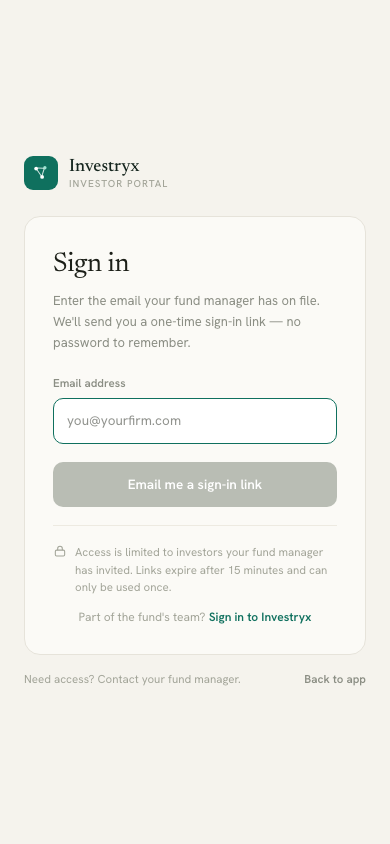
The portal is designed for phones: cards stack, lists run full-width, and a company’s detail opens as a full-screen sheet. You can read a quarterly report on the train.
Downloads
PDF downloads carry a small footer line on every page with your email address, the date and “via
Access is recorded
When you open or download a document, the portal records that you did, and when, for the fund’s records. Your fund manager can see which documents each investor has opened. Nothing else is tracked: not how long you read, which pages, or anything outside the portal. The footer of every portal page states this.
Questions
Questions about your account, your figures or your access go to your fund manager, whose contact details are in the portal footer. The figures shown are provided by the fund and are unaudited.