What the agent can do
The two agent surfaces, what it can look up, every change it can propose, how documents work, and the rules it never breaks.
The Investryx Agent is a co-pilot inside your workspace. It answers questions about your own data instantly and proposes changes for you to approve. It never applies a change on its own, and it never publishes anything to LPs.
Two surfaces, one thread
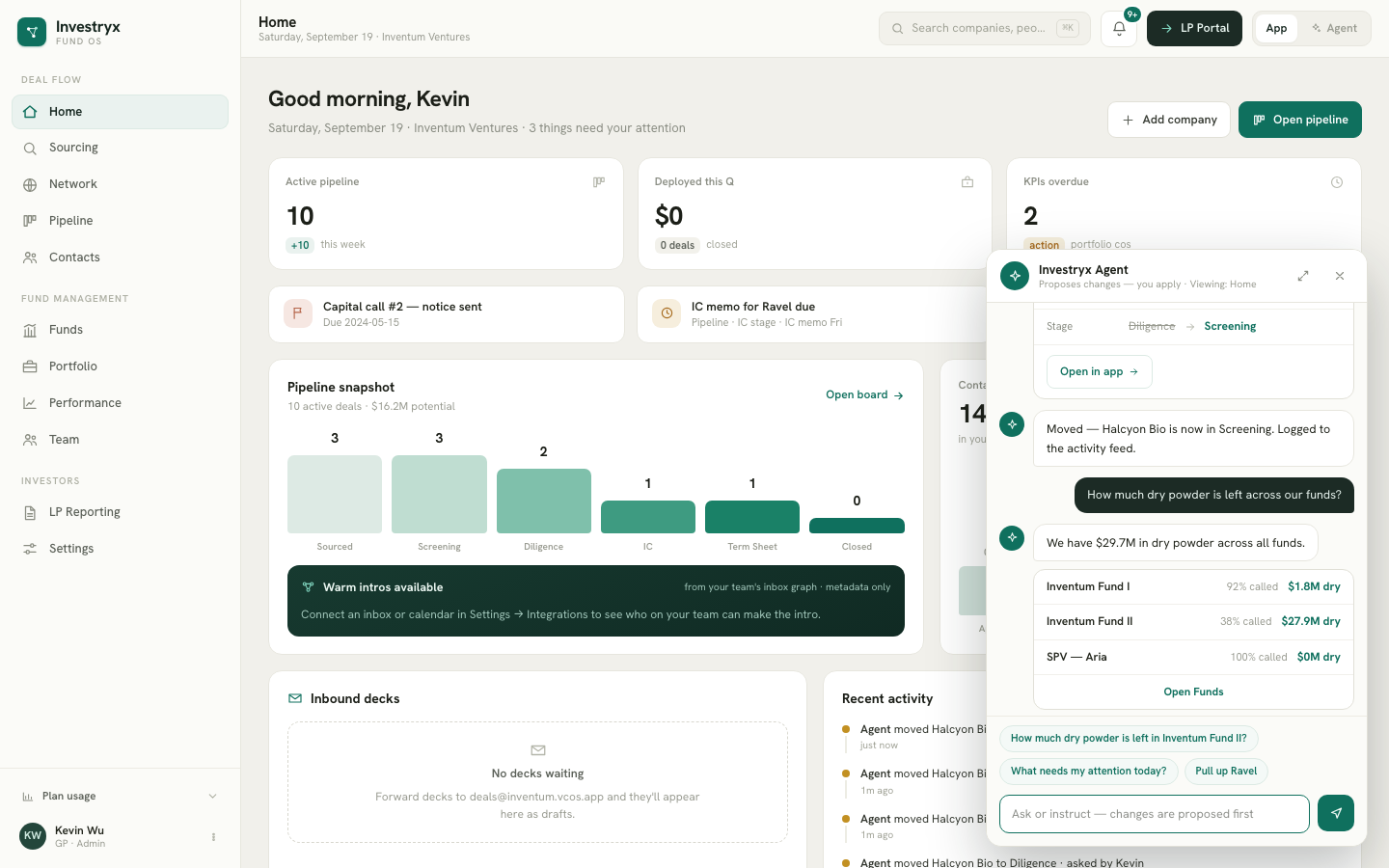
- The docked chat — the round button at the bottom right of every internal screen. It opens a panel that knows which screen you are on and offers suggested prompts for it. The header reads “Proposes changes — you apply”.
- Agent Mode — the App | Agent toggle in the top bar. It covers the whole app with a full-screen chat; data renders inside the thread as mini-artifacts.
Both show the same conversation. Start in the dock, expand to Agent Mode, and the thread continues. On a phone the dock itself is full-screen and the toggle is hidden.
The agent is not available in the LP portal.
Reads: it looks things up
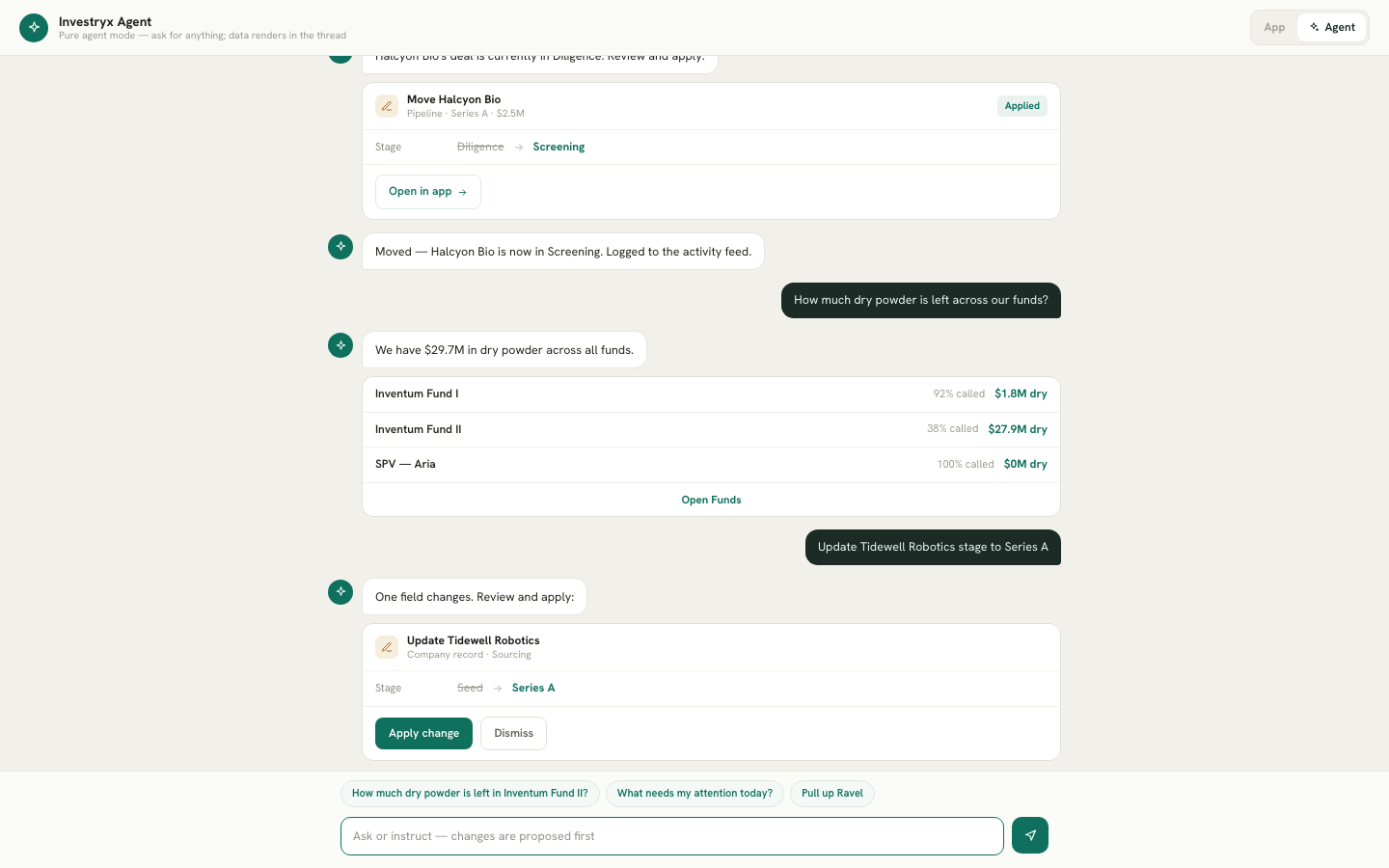
Ask about companies, people, deals, funds, the portfolio, report sets or who opened what, and the agent looks the answer up in your workspace before replying. It does not invent figures; if something is not tracked, it says so. Returns such as TVPI, DPI and IRR are quoted from the app’s own calculations, never worked out by the model. Some answers embed a live mini-artifact with an Open in app link:
- Funds table — each fund with percentage called and dry powder, for questions like “How much dry powder is left in Fund I?”.
- Pipeline strip — active deals per stage, for “What’s stale in Diligence?” or “What needs my attention today?”.
- Company card — sector, stage, location, momentum and fundraise timing, for “Pull up Acme Robotics”.
It can also answer about people and history: “Who do we know at Acme?”, “When did we last speak to Jane?”, “Which LPs haven’t paid call #3?”.
Writes: proposed, then applied by you
When you ask for a change, the agent shows a card instead of acting. Nothing changes until you click its button, and one message can produce several cards (“log my call with Acme and move it to Diligence”). There are three kinds:
Action cards — you click Apply.
| Area | What you can ask for |
|---|---|
| Companies | Change a field, stage or category · add companies from pasted notes · add or remove a domain · link people · run enrichment or research |
| People | Add one or several contacts (name and email) · change a contact’s details · ask a teammate for a warm intro (the email is shown in full before it is sent) |
| Meetings and calls | Log a meeting, call, note or email with date, attendees and notes · pull a meeting from your Google Calendar |
| Pipeline | Add a company to the pipeline · move a deal · pass with reasons · reopen · assign lead and support · change deal terms · tick diligence items |
| Memos and KPIs | Create an investment memo and start its AI draft · request KPIs from one or all portfolio companies |
| Files | File an attached PDF under a company |
| Funds and LPs (owners and admins) | Add or change an LP commitment · set an LP’s portal contacts · mark a capital-call payment · create a draft report set · change its recipients · draft the manager letter |
Open-in-app cards — the agent opens the app’s own dialog, filled in. Anything with terms or money is reviewed where you normally do it: record an investment, a new round or an exit, create a fund, issue a capital call, record a distribution, introduce two contacts. The card shows what it will fill in; you check each value in the dialog and save there.
Guarded cards — never done from chat. Publishing a report set, reminding LPs who have not opened a document, sending LP notices and deleting a company only open the app’s confirm dialog.
See Action cards, Batch changes and Guarded actions.
Documents
Attach up to three PDFs to a message with the paperclip in the composer. The agent reads them and suggests what to do:
- A closing document — SPA, SHA, SAFE, convertible note, term sheet or cap table — opens Record investment (or Record new round for a company already in the portfolio) with the document handed over, so the dialog reads the terms and shows each one with its source.
- A limited partnership agreement opens New fund with the terms read from it.
- Any other document can be filed under a company.
Attachments are kept for 24 hours so you can finish the action, then deleted. A document you file under a company stays with that company.
What stays out of chat
Sign-in, billing, team access, integrations and workspace settings are changed in Settings, not through the agent. Members are not offered fund-level or LP-level actions; those are for owners and admins, in chat as in the app.
The rules
- Propose, review, apply. Every write is a card with Apply and Dismiss.
- Guarded actions never run from chat. Anything LP-facing opens the app’s real confirm dialog.
- Money and documents are reviewed in the app. The agent fills the dialog in; you save it.
- Same permissions as you. Every applied card goes through the same checks as the screens, with your own access level.
- Provenance. Fields the agent writes carry the source “Agent ·
” and a confidence chip, like enrichment, and stay editable. - Audit. Every applied action lands in the dashboard activity feed as “Agent … · asked by
” and raises a notification. - No autonomy. There is no background agent and no voice input. It acts only when you ask, in the thread.
Language
Replies use the workspace’s default AI co-pilot language from Settings → Language, and the agent understands other languages on request.