Relationship strength
How the 0–100 relationship score is computed, what the Strong / Medium / Light bands mean, and where it shows.
Every organisation and every contact carries a relationship strength from 0 to 100. It is derived, never typed in: Investryx computes it from the interactions your team has had, so it reflects real contact rather than someone’s opinion of a relationship.
The bands
| Score | Band |
|---|---|
| 75 and above | Strong |
| 50 – 74 | Medium |
| Below 50 | Light |
The band is shown as a label next to the score on Contacts and drives colouring of the strength bars elsewhere.
How the score is computed
The score combines frequency and recency of touchpoints:
- Each interaction adds weight. A meeting counts for more than a call, and a call for more than a note or an email.
- Older interactions fade. Each touchpoint’s weight decays over time with a half-life of about four months, so a burst of meetings a year ago matters less than two calls last month.
- Recent contact earns a bonus. A touchpoint within the last week adds up to 25 points; the bonus shrinks over the following weeks.
- The result is capped at 100.
Inputs are the interactions logged on the organisation (meetings, calls, notes, emails) and, when an inbox or calendar is connected, the metadata from those sources. Message bodies are never part of the calculation.
Known by
For each organisation and contact, Investryx also ranks who on your team holds the relationship. A team member is credited for an interaction when they logged it or were selected as an attendee. The strongest team member is the Best path, and that is who a warm-intro request is routed through. If you want your own name to appear here, make sure you are listed as an attendee when a colleague logs the meeting.
Where the score appears
- Network — the Relationship column shows a bar with the owner’s avatar.
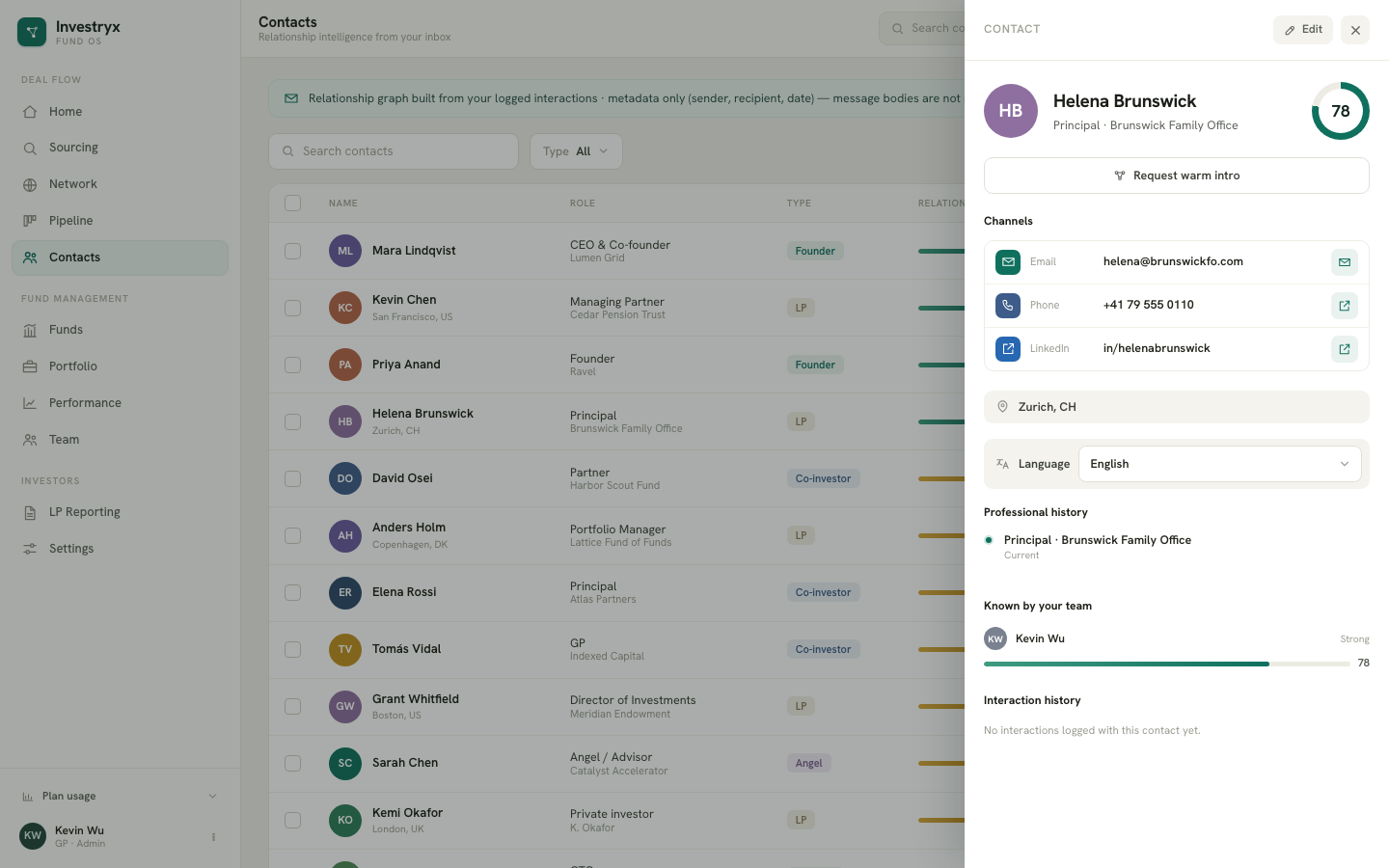
- Contacts — the Relationship column shows bar, score and band; Known by shows the top team member.
- Contact drawer — a strength ring, Known by your team with a bar per member, and the Interaction history.
- Company drawer — the dark Who knows Acme Robotics? panel with the best path, their score and a Request warm intro button. Without any interaction it reads “No relationship path yet”.
- Signals — the Network heat row counts the last 30 days of touchpoints from the same data.
Raising a score honestly
Log every real touchpoint. Select Log in the Interactions section of a company, choose the type, add the attendees — contacts and team members — and set the correct date. The score updates as soon as the interaction is saved.