Access log and reminders
See who viewed or downloaded each document, who has not opened it, and send reminder emails.
Every time a recipient opens or downloads a document in the LP portal, Investryx records who and when. The access log shows those events per document, lists eligible recipients who have not opened it, and lets you remind them. Two event types are tracked: view and download. Time on page, page depth and external share links are not tracked.
Where counts appear
Expand a set on LP Reporting. Once a set is published, or as soon as a document has any events, its row shows a chip with view and download counts. A set reverted to Draft keeps its counts. The set header also shows a last-activity line: “Last opened by
Open the access log
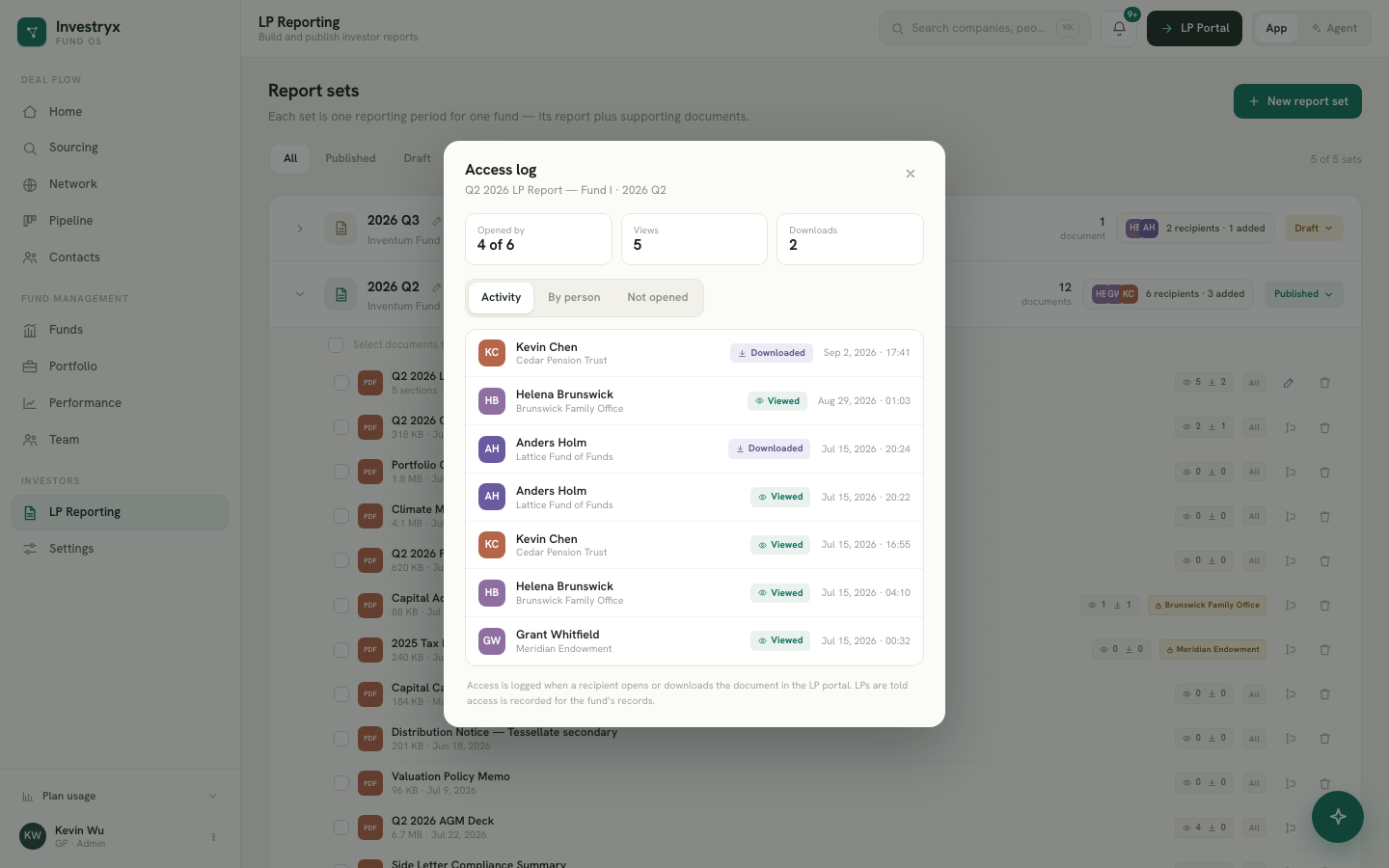
Click the count chip on a document row. The log opens with:
- A stats strip: Opened by (opened of eligible, for example 3 of 8), Views and Downloads.
- Three tabs: Activity, By person and Not opened.
“Eligible” respects the document’s audience. A document restricted to one LP counts only that LP’s contacts. See Document audiences.
Activity
Every event, newest first: the contact, their LP, a Viewed or Downloaded badge, and the date and time.
By person
One row per contact who opened the document, with their view count, download count and last activity.
Not opened
Eligible recipients with no events for this document. Each row has a Remind button; when several people can be reminded, Remind all (N) appears above the list.
Send a reminder
- In Not opened, click Remind on one person, or Remind all.
- A confirmation banner asks “Send a reminder email to
?” and explains that a short note with a link to the document will be drafted from your notification template and sent in each contact’s language. - Click Send.
The reminder is logged to the activity feed, and the row shows Reminded ·
The 48-hour rule
Each contact can be reminded about a given document at most once per 48 hours. Recently reminded contacts show the Reminded chip instead of a button, Remind all counts only people who can be reminded, and if everyone you selected was reminded in the last 48 hours the app says so and sends nothing.
Related signals elsewhere
- The first download of a document lands in the dashboard activity feed.
- Opens and downloads raise notifications in the bell, and so does a report set that still has unopened recipients three days after publishing. See Notifications.
- The agent answers “Who hasn’t opened the Q2 report?” from the same data. See What the agent can do.
Privacy
The LP portal footer tells investors that document access is recorded for the fund’s records. The log records identity from the portal session; there is no email gate or tracking pixel.