Action cards
How a proposed change is shown as a card with a field-level diff, what Apply and Dismiss do, and how open-in-app cards work.
An action card is how the agent proposes a single change. It shows exactly what would change, old value to new value, and waits. You apply it or dismiss it; the agent does neither for you. When you ask for several things in one message, the reply carries one card per change, and each is applied or dismissed on its own.
Anatomy of a card
- Title and context — for example “Update Acme Robotics” with “Company record · Sourcing”, or “Move Acme Robotics” with the round and target check.
- Diff rows — one per field: the field name, the current value, an arrow, the proposed value. The current value is read from the live record when the card is created, not taken from the model’s memory. A field whose value would not change is left out.
- Buttons — a button named after the action (Apply change, Apply N changes, Move deal, Log interaction, Add contact, Pass, Send request and so on) and Dismiss.
- Preview — a card that sends an email, such as a warm-intro request to a teammate, shows the full email before you send it.
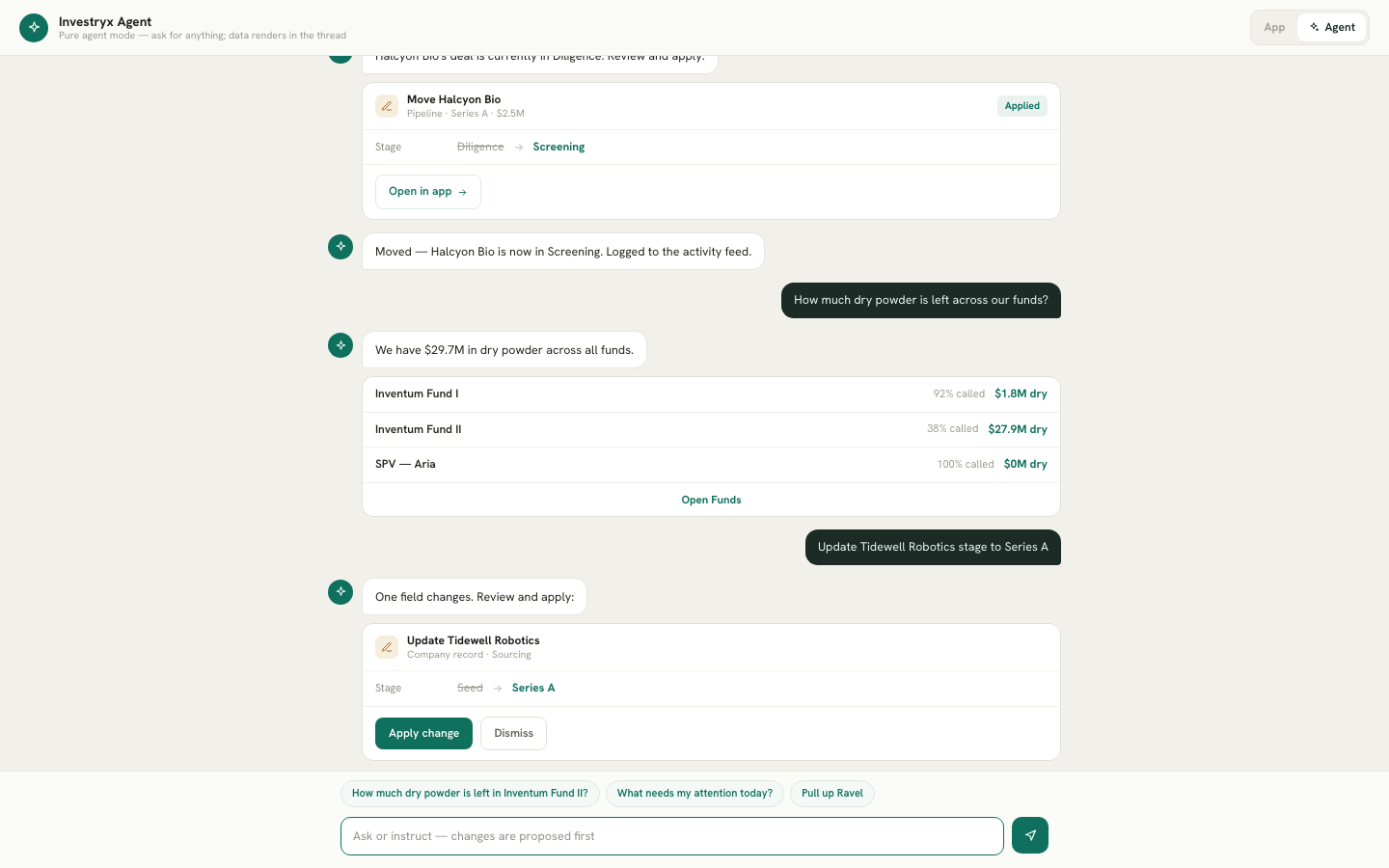
The message above the card introduces it and makes clear the change has not happened yet, for example “One field changes. Review and apply:”. When the data shows nothing would change, the agent says so and offers no card.
Apply
- Read the diff. If a value is wrong, dismiss the card and rephrase; there is no in-card editing.
- Click Apply. The button reads “Applying…” while the change is written through the same endpoint the screen uses, with the same validation.
- The card’s status becomes Applied, the agent posts a confirmation, and an Open in app button takes you to the record.
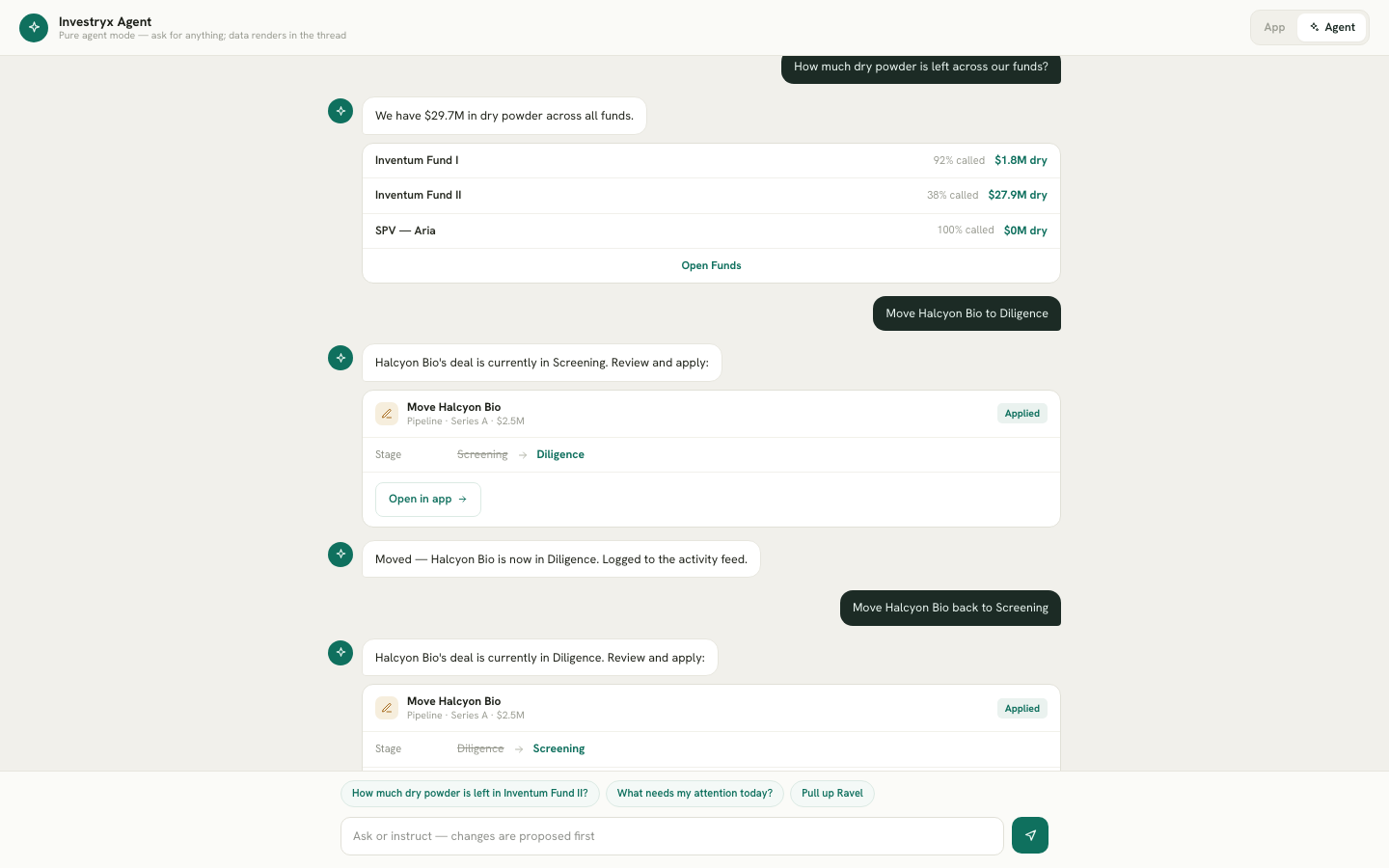
What happens on apply:
- Provenance. Company fields written by the agent carry the source “Agent ·
” with a confidence chip, exactly like enriched fields. They remain hand-editable, and the manual-edit rule is unchanged: a field is “Manual” only when you later change it away from that value. - Activity feed. The dashboard feed records “Agent updated Acme Robotics — stage Seed → Series A · asked by
”, or “Agent moved …”. - Notification. The same event appears in the bell for your team.
- Row flash. If the affected row or card is on the screen behind the dock, it flashes green for a few seconds so you can see what moved. Opening the record from the card triggers the same flash.
Dismiss
Click Dismiss. The card’s status becomes Dismissed, nothing is written, and nothing is logged. Ask again with different wording if you want a different proposal.
Open-in-app cards
Changes that carry terms or money are not applied from chat. For these the agent shows a card with a single Open & review… button instead of Apply:
- Record an investment, a new round or an exit
- Create a fund, issue a capital call, record a distribution
- Introduce two contacts by email
The card lists what the agent will fill in. Clicking the button opens the app’s own dialog with those values already entered; if you attached a PDF, the dialog reads the document itself and shows each term with its source. You check the values and save in the dialog. Closing it without saving changes nothing. See What the agent can do for how attachments work.
Cards are resolved once
A card is proposed, then either applied, dismissed or, for guarded and open-in-app cards, opened. It cannot be applied twice. If you reload or switch between the dock and Agent Mode, the card keeps its status because the thread is stored server-side.
Limits worth knowing
- Company stage must be one of the product’s stages (Pre-seed through Growth / Late-stage, Exited). A stage the agent cannot match is refused with the list of valid values.
- Moving a deal to Closed has no Apply button. Closing records an investment with round terms, so the agent offers an open-in-app card that opens Record investment for that deal. See Recording an investment.
- Names must match one record. If a name fits two companies or two people, the agent asks which one instead of guessing.
- Fund-level and LP-level cards (commitments, portal contacts, capital-call payments, report sets) are offered to owners and admins only.