Adding companies
Add a startup with just a name and a website, then let enrichment fill in the rest.
Sourcing is where new companies enter Investryx. You add a record with two fields, open it, and run enrichment; everything else — sector, stage, funding, description — is filled from public information with a source attached.
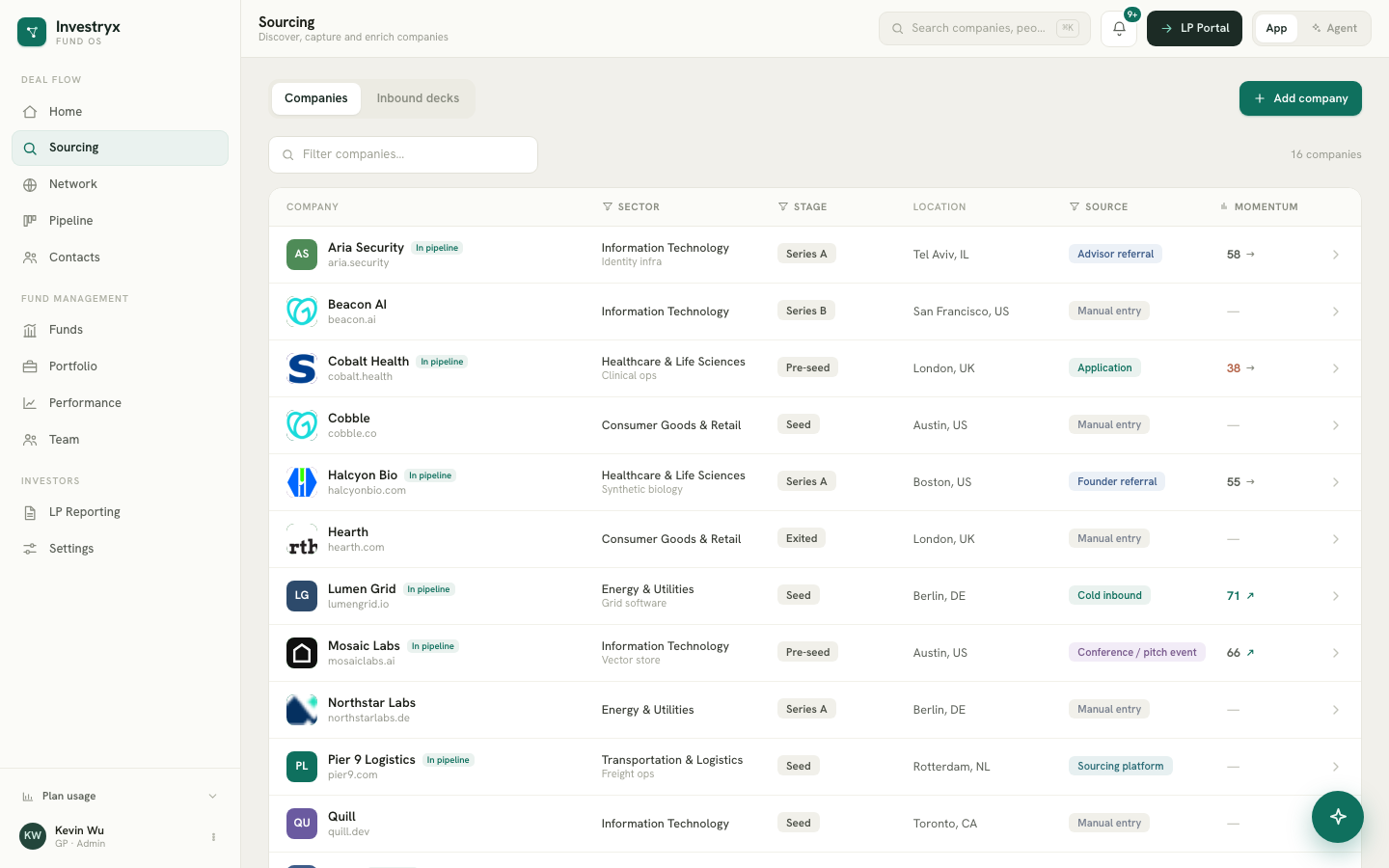
Sourcing and Network
Investryx keeps one record per organisation. Sourcing shows the organisations categorised as startups, with deal-flow columns such as Stage and Momentum. Network shows every organisation you know — startups, funds, family offices, law firms, banks — with a category filter. Both open the same detail drawer.
Add a company
- Open Sourcing and select Add company.
- Enter the Company name and Website (for example
acmerobotics.com). Both are required; Add & open stays disabled until both are filled. - Select Add & open. The record is created and its detail drawer opens.
- In the Overview section, select Enrich to fill in category-specific fields, headquarters and a description from public sources.
A company added from Sourcing is a Startup. A company added from Network → Add company is created with the category Other, for organisations that are not investment targets.
The website is stored in a normalised form (lowercase, without https:// or www.) and acts as the record’s identity, which is how Investryx avoids creating the same company twice.
Other ways a company is created
- Pipeline → New deal → Create new company: creates the startup and a deal at the Sourced stage in one step. Enrich it afterwards from the drawer.
- Add contact: when you type a company that does not exist yet, choose Create new company to create it with the person.
- CSV import of contacts creates any company named in the
companycolumn.
Working with the list
The Sourcing table has columns for Company, Sector, Stage, Location, Source and Momentum.
- Search filters by name as you type.
- Sector, Stage and Source are header filters. Select a column header to open a multi-select menu with counts; each choice becomes a removable chip above the table, and Clear all resets them.
- The Momentum header toggles sorting by momentum score. Companies without a score sort last.
- An In pipeline badge marks startups that already have an active deal.
Select any row to open the detail drawer. From a startup’s drawer, Add to pipeline creates a deal. Once a deal exists, the deal card at the top of the drawer shows its stage and offers Open in pipeline instead.
The Inbound decks tab is reserved for pitch decks forwarded to your firm’s inbound deal address, which are parsed into draft records to confirm or dismiss. If no address is shown in the banner, the inbox is not yet set up for your workspace.